
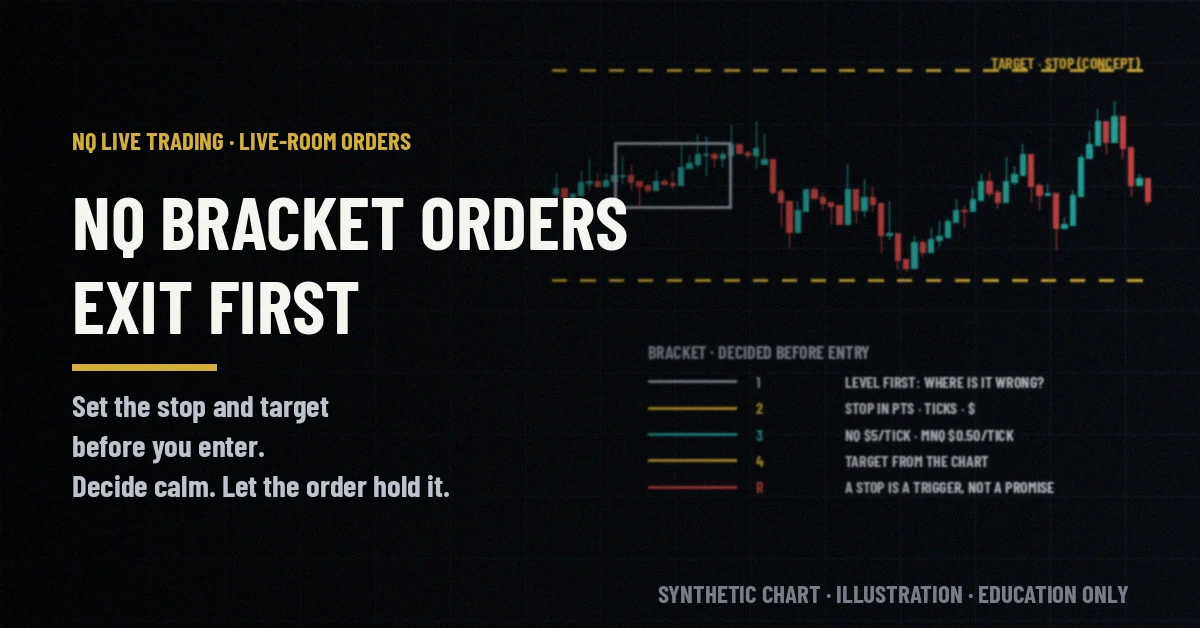
Bracket Orders on NQ: Setting Stop and Target Before Entry
By CK · Futures trader since 1998
Short answer: A bracket order sends your entry with a stop and a profit target already attached. On most platforms, once the entry fills, the stop and target work together, and when one of them fully fills, the other is canceled. On NQ, you decide both prices before you click, so the risk on the trade is written down before the trade exists.
Education only. Futures trading involves substantial risk of loss. Not financial advice.
The stop you meant to place
You find the level. You get the fill. You’re in.
Now you reach for the stop. But the candle is moving, your hand isn’t steady, and a little voice says, “Give it one more second. See what it does.”
One second becomes ten. Ten becomes a minute. The stop you meant to place is still in your head, not in the market.
Here’s what many traders never notice. The hardest moment to make a calm decision is the moment right after you get filled. That’s when your money is moving and your brain wants to watch instead of act.
So what if the decision was already made? What if the stop and the target were sitting in the order ticket before you ever clicked buy?
That’s what a bracket is for.
Have you ever done this?
How many traders have entered a trade and placed the stop “in a second,” only to watch price run through the level they had in mind?
How many traders have hit their target, closed the position, and then found the old stop still working, ready to open a trade they never wanted?
And how many traders have dragged a stop farther away mid-trade because “it’s about to turn”?
None of those are chart problems. They’re order problems. And order problems get solved before the entry, not after.
What is a bracket order on NQ?
A bracket order is an entry order with two exit orders attached: a stop below (for a long) and a profit target above. Once the entry fills, the stop and the target typically work as a linked pair, so when one fully fills, the other is canceled. You choose all three prices before you send the order.
The link between the stop and the target is called one-cancels-other, or OCO. CME Group’s help for its CME Direct front end describes OCO orders as “two or more separate (though linked) orders, in which a full fill of one order in the group results in all other linked orders being canceled or held,” and it adds: “A partial fill will not cancel linked orders” (CME Group, One Cancels Other). That describes one front end. How OCO and partial fills are handled varies by platform, so check how yours works.
| Bracket part | What it does | Order type behind it, typically |
|---|---|---|
| Entry | Gets you into the trade | Limit (your price or better) or market |
| Stop | Gets you out if you’re wrong | Stop order: triggered when the market trades at (or through) your stop, then works as a market or limit order |
| Target | Gets you out at your planned exit | Limit order at your target price |
| OCO link | Cancels the leftover exit once one side fully fills | Usually held by your platform or broker, not a separate exchange order |
One more thing worth knowing. CME Globex lists its supported futures order types as limit, market order with protection, market-limit, stop-limit and stop order with protection (CME Group Client Systems Wiki, Order Types for Futures and Options). A bracket isn’t on that list. The bracket and its OCO link are typically managed by your trading platform or broker, which then sends the individual orders to the exchange. That matters later, so hold on to it.
Why set the stop and target before you enter?
Because the moment after a fill is the worst moment to decide anything. Setting the stop and target first turns the trade’s risk into a number you chose with a calm head. On NQ, every 0.25-point tick is $5 per contract, so a stop you “meant to place” can cost real money fast.
In my experience, the trades that hurt the most weren’t the ones where the idea was wrong. They were the ones where the exit was undecided. A bracket doesn’t make the idea better. It makes the exit decided.
Here’s what a pre-set bracket does for you:
- It names the risk before the trade. You know your stop distance in points, ticks and dollars before you click.
- It takes the “I’ll place it in a second” gap away. The stop goes to work when the entry fills, not when your nerves settle.
- It cleans up after itself. In a typical bracket, when the target fully fills, the stop is canceled, so you’re not left with a stray order working in the market.
- It gives you a plan to review. After the session, you can compare the bracket you set with what actually happened.
For the structure side of where the stop goes, read where to place your stop on NQ. For the target side, read planning your profit target on NQ. CK Trader Pro’s how to plan trade entries walks through the entry plan in more depth.
Here’s the big idea
Decide the exit while you’re calm. Let the order hold it while you’re not.
You can’t control what price does after you’re in. You can control what you decided before you got there.
What does one bracket look like in NQ math?
Count the stop and target in points, convert to ticks, then multiply by the dollars per tick and the number of contracts. On NQ, one tick (0.25 points) is $5 and one point is $20. On MNQ, one tick is $0.50 and one point is $2, per CME’s contract specifications.
Here’s a hypothetical long bracket. Say NQ is near 20,000.00. That’s a round hypothetical level, not a current price and not a trade idea.
| Hypothetical bracket leg | Price | Distance from entry | NQ, 1 contract | MNQ, 1 contract |
|---|---|---|---|---|
| Entry (buy limit) | 20,000.00 | n/a | n/a | n/a |
| Stop (sell stop) | 19,985.00 | 15 points = 60 ticks | $300 at risk | $30 at risk |
| Target (sell limit) | 20,030.00 | 30 points = 120 ticks | $600 if filled | $60 if filled |
Contract math only. It doesn’t include commissions or fees, and it isn’t a prediction of what any trade will do. NQ values are from CME’s E-mini Nasdaq-100 contract specifications and MNQ values from the Micro E-mini Nasdaq-100 contract specifications. Run your own numbers in the NQ tick value calculator.
Now add the part a bracket can’t promise. If that hypothetical stop fills 2 ticks worse than 19,985.00, the loss on one NQ contract is $310, not $300. On one MNQ contract, it’s $31, not $30. Our post on NQ slippage in plain numbers shows how those ticks add up.
Stops are not guaranteed to fill at your price, and no stop guarantees a maximum loss. A stop-market order becomes a market order when it’s triggered and can fill worse in a fast market. A stop-limit order may not fill at all if price jumps past your limit. CME notes that a stop order “does not immediately go on the book” and must be triggered by a trade at your price first (CME Group, Futures Order Types).
What doesn’t a bracket protect you from?
A bracket decides your exits. It doesn’t guarantee them. It won’t stop slippage, it may not handle partial fills the way you expect, and because the link usually lives with your platform or broker, a dropped connection or a manual close can leave orders behaving differently than you planned.
Here’s the short list we go through:
- Slippage on the stop. The stop is a trigger, not a price promise. See the line above.
- Partial fills. If you’re in more than one contract and only part of the target fills, CME’s help for its CME Direct front end says a partial fill won’t cancel linked orders. Other platforms may handle it differently, and how yours resizes the stop after a partial fill varies. Check yours in simulation before you rely on it.
- Where the link lives. Since the bracket is typically managed above the exchange, ask your platform or broker where your bracket is held and what happens to it if your internet connection drops.
- Manual exits. If you close a trade by hand, confirm the stop and target are gone too. A leftover order can open a new position you never planned.
- Gaps and fast markets. A stop can fill well past your price when the market jumps. A bracket doesn’t change that.
In my experience, the safest habit is simple: after every fill, glance at your working orders. Entry filled? You should see one stop and one target. Trade closed? You should see none.
How do we use brackets in the live room?
We write the entry, stop and target before price gets to the level, and we say the stop in ticks and dollars out loud. Once the bracket is set, we talk about not widening the stop mid-trade. Order choice is part of the plan, not a reaction. We don’t call trades or tell anyone where to put their orders.
Here’s how it usually comes up during the 9:30 to 10:30 AM ET session:
- Level first. We mark the level and ask, “If this is wrong, where is it wrong?” That answer is the stop.
- Stop in three units. Points, ticks, dollars per contract. If you can’t say all three, you’re not ready to send the bracket.
- Size from the stop. If the stop’s dollars are too big for your planned risk, trade fewer contracts, use MNQ, or pass. Our NQ vs MNQ sizing post covers the formula, and CK Trader Pro’s drawdown management page explains why one oversized loss weighs so heavily.
- Target from the chart. We look at where price has room to go, not at a dollar number we’d like to see.
- Send it whole. Entry, stop and target go in together. No “I’ll add the stop after.”
- Hands off the stop. In my experience, moving a stop farther away mid-trade is often fear dressed up as analysis. If you want a different stop, that’s a new plan for the next trade.
- Log it. After the session, write down the bracket you set and the fills you got. Our NQ trading journal post shows what to record.
What don’t we do?
We don’t enter first and plan the exit later. We don’t widen a stop because price is “about to turn.” And we don’t assume the platform will clean up every order for us without checking.
- No naked entries. If the stop isn’t decided, the trade isn’t ready.
- No dragging the stop farther away mid-trade.
- No treating a bracket as a guarantee. It’s a decision, written down.
Here’s the point
A bracket order doesn’t make you right. It makes you decided. On NQ, every tick is $5 per contract, so the exit you meant to place but didn’t has a cost. Set the stop and target before you enter, say the stop in ticks and dollars, check your working orders after every fill, and remember that a stop is a trigger, not a promise.
Remember this
Plan the exit before the entry. Then let the order hold the plan.
So here’s my question: on your last trade, was the stop in the market before your entry filled, or after?
Watch the order ticket live
Watch the order ticket live. We meet Monday through Friday, 9:30 to 10:30 AM ET, and we talk through levels, stops and targets on the NQ chart as the open forms. Bring your bracket questions. There’s no cost to attend. Join the free live room. New here? Read how the free live room works.
Registration is required. Adults 21+. Sessions are education, not signals.
The room is the free education arm of CK Trader Pro.
Join the Academy
Want the structure behind the morning? CK Trader Pro is futures and prop firm education: step-by-step lessons, live sessions and risk planning. It’s the CK Trader Pro Membership, which includes:
- Members-only educational lessons on prop-firm rules, drawdown, daily loss limits, position sizing and risk
- War Room: CK’s live pre-market planning session, weekdays 8:30–9:30 AM ET, where the day’s risk and news times get written down before the open
- CK’s chart setup, shown and explained live in every session
- Economic news calendar
Education only. No trade signals or personal advice. No results promised.
Billed monthly until you cancel. See pricing at cktraderpro.com.
The live room stays free either way.
FAQ
What is a bracket order on NQ futures? A bracket order is an entry order with a stop and a profit target attached. Once the entry fills, the stop and target typically work as a linked pair: when one fully fills, the other is canceled. You choose all three prices before you send the order.
What does OCO mean in futures? OCO means one-cancels-other. CME Group’s help for its CME Direct front end describes OCO orders as separate but linked orders, where a full fill of one cancels or holds the others, and says a partial fill does not cancel the linked orders. How OCO and partial fills are handled varies by platform, so check yours.
Is a bracket order an exchange order type on CME Globex? No. CME Globex lists limit, market with protection, market-limit, stop-limit and stop with protection as its futures order types. Brackets and OCO links are typically managed by your trading platform or broker, which sends the individual orders to the exchange.
How do I work out the dollar risk of an NQ bracket? Count the stop distance in ticks (four ticks per point), then multiply by $5 per tick for each NQ contract or $0.50 per tick for each MNQ contract. A hypothetical 15-point stop is 60 ticks: $300 on one NQ and $30 on one MNQ, before commissions, fees and slippage.
Should I move my stop once the bracket is working? In my experience, moving a stop farther away mid-trade often turns a planned loss into an unplanned one. If the plan changes, treat it as a new plan for the next trade, and check your working orders after any change.
Does a bracket order guarantee my maximum loss? No. Stops are not guaranteed to fill at your price, and no stop guarantees a maximum loss. A stop-market order can fill past your stop in a fast market, and a stop-limit may not fill at all.
About CK
CK (George Ama) is a futures trader since 1998 and the founder of CK Trader Pro. He is the author of The Risk First Series, including Risk First: The NQ Futures Playbook and Risk First: Execution.
Trading futures involves substantial risk of loss and is not suitable for everyone. Past performance is not indicative of future results. Education only, not financial advice. The live room is for adults 21+. Example numbers in this article, including the index level, are hypothetical contract math, not current prices, predictions or recommendations, and don’t include commissions or fees. No stop guarantees a maximum loss; stops are not guaranteed to fill at your price. CK Trader Pro and NQ Live Trading aren’t owned, run or endorsed by any prop firm or exchange. See our Risk Disclosure, CK Trader Pro’s Risk Disclosure and Disclosures. NQ Live Trading and CK Trader Pro are operated by CK TRADING INSTITUTE OF TECHNOLOGY LLC.